
META TITLE
How to Protect Your Personal Data Online in 2026: (Complete Privacy Guide).
META DESCRIPTION:
Learn how to protect your personal data online in 2026 with practical cybersecurity tips. Discover how to secure your accounts, avoid scams and keep your digital information safe.
How to Protect Your Personal Data Online in 2026: A Complete Guide
Everyday, we share personal information online without realizing how valuable it is. Whether you’re shopping, using social media, working remotely or simply browsing websites, your personal data can become a target for cybercriminals if it’s not properly protected.
Learning how to protect your personal data online has become more important than ever. Data breaches, phishing attacks, identity theft and online scams ,continue to increase each year, affecting millions of internet users worldwide.
This guide explains practical steps anyone can take to improve online privacy and strengthen digital security.
Why Protecting Your Personal Data Matters?
Your personal information is valuable.
Cybercriminals can misuse data such as:
- Email addresses
- Phone numbers
- Passwords
- Banking information
- Home addresses
- Government identification
- Login credentials
If this information falls into the wrong hands, it can lead to identity theft, financial loss or unauthorized access to your online accounts.
Understanding how to protect your personal data online helps you stay one step ahead of these threats.
What Personal Information Should You Protect?
Many people think only financial information needs protection.
In reality, almost every piece of personal information has value.
Examples include:
- Full name
- Date of birth
- Email address
- Mobile number
- Photos
- Location data
- Passwords
- Payment information
Even a small pieces of information can be combined to create detailed profiles about you.
The less personal information you expose publicly, the safer your online identity becomes.
Use Strong and Unique Passwords
Weak passwords remain one of the biggest causes of hacked accounts.
A strong password should:
- Contain atleast 12 characters
- Include uppercase and lowercase letters
- Use numbers
- Include symbols
- Avoid personal information
Most importantly, never reuse the same password across multiple accounts.
If one account is compromised, attackers often try the same password on other websites.
Using unique passwords is one of the simplest ways to protect your personal data online.
Enable Two-Factor Authentication(2FA)
Even strong passwords can sometimes be stolen.
Two-factor authentication adds another layer of protection.
After entering your password, you’ll also need to verify your identity using:
- A verification mode
- An authentication app
- A security key
- Biometric verification
This significantly reduces the chances of unauthorized account access.
Whenever possible, enable 2FA for:
- Email accounts
- Banking apps
- Social media
- Shopping websites
- Cloud storage
Be Careful What You Share Online
Many people unknowingly reveal sensitive information through social media.
Avoid sharing:
- Home addresses
- Travel plans
- Financial information
- Personal documents
- Security question answers
Protecting your online privacy is also part of maintaining a trustworthy digital identity. If you have already read How to Create a Professional Online Presence, you will understand why managing your digital footprint is just as important as protecting your personal information.
Learn to Recognize Phishing Attempts
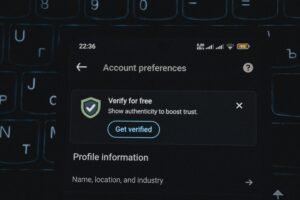
Phishing is one of the most common cyber threats today.
Cybercriminals often send fake emails, text messages or website links that appear legitimate. Their goal is to trick users into revealing passwords, banking details or other sensitive information.
Warning signs include:
- Urgent requests asking you to act immediately
- Suspicious links
- Poor grammar or spelling
- Unknown email addresses
- Requests for personal or financial information
Before clicking any link, verify the sender and visit the official website directly whenever possible.
Keep Your Devices and Software Updated
Software updates are not only about adding new features, they also fix security vulnerabilities.
Always keep your:
- Operating system
- Web browser
- Antivirus software
- Mobile apps
- Password manager
updated to the latest version.
Delaying updates can leave your devices vulnerable to known security threats.
Avoid Public Wi-Fi Without Protection
Public Wi-Fi networks in cafes, airports, hotels and shopping malls are often less secure than private networks.
When using public Wi-Fi:
- Avoid logging into banking websites.
- Don’t access sensitive business information.
- Turn off automatic file sharing.
- Use secure websites that begin with HTTPS.
- Consider using a trusted VPN for additional protection.
Taking these precautions can help protect your personal data online, especially when you are away from home.
Review Your Privacy Settings Regularly
Most websites and apps collect some form of user data.
Take time to review the privacy settings on:
- Social media accounts
- Search engines
- Mobile applications
- Cloud storage services
Limit the amount of information that is publicly visible and disable permissions that you don’t need, such as constant location access or unnecessary contact sharing.
Common Mistakes That Put Your Data at Risk
Many security problems are caused by everyday habits.
Avoid these common mistakes:
| Mistake | Better Practice |
| Reusing the same password | Use unique passwords for every account |
| Clicking unknown links | Verify links before opening |
| Ignoring software updates | Install updates promptly |
| Sharing too much on social media | Keep personal information private |
| Using weak passwords | Create long, complex passwords |
Small improvements in your daily habits can make a significant difference in your online security.
Cybersecurity Is Becoming an Essential Skill
As technology continue to evolve, cybersecurity awareness is becoming important for everyone, not just IT professionals.
Whether you work remotely, manage a business, study online or simply use digital services everyday, understanding basic security practices is now an essential life skill.
The increasing use of AI in workplaces also means professionals should protect sensitive information when using digital tools. If you’ve read How AI and the Future of Work Are Changing Careers, you’ll know that digital security is becoming an important part of modern professional life.
For additional cybersecurity guidance and best practices, visit the National Institute of Standards and Technology (NIST), which provides trusted recommendations for protecting personal and organizational information.
Conclusion
Learning how to protect your personal data online is one of the most valuable steps you can take to improve your digital safety. By using strong passwords, enabling two-factor authentication, recognizing phishing attempts, keeping your devices updated and managing your privacy settings, you can greatly reduce the risk of cyber threats. Online security isn’t about being perfect, it’s about building smart habits that help keep your personal information safe everyday. Investing a little time in your digital security today can save you from major problems in the future.
FAQs
1. Why is it important to protect your personal data online?
Protecting your personal data online helps reduce the risk of identity theft, financial fraud, hacking and unauthorized access to your accounts.
2. What is the easiest way to improve online security?
Using strong, unique password together with two-factor authentication is one of the most effective ways to improve your online security.
3. Are password managers safe?
Reputable password managers are generally considered a secure way to create, store and manage strong, unique passwords for multiple accounts.
4. How can I recognize phishing scams?
Look for unexpected messages, urgent requests, suspicious links, poor grammar, unknown senders and fake login pages. Verify requests through official websites instead of clicking links.
5. Is public Wi-Fi safe to use?
Public Wi-Fi is convenient but can expose your data if used carelessly. Avoid accessing sensitive accounts unless the connection is secure.
6. Can social media affect my online privacy?
Yes. Sharing too much personal information publicly can make you more vulnerable to scams, identity theft and phishing attacks.
7. What should I do if my personal information is exposed in a data breach?
Change your passwords immediately, enable MFA, monitor your financial accounts, watch for phishing attempts and review your credit reports if necessary.
8. Do i need antivirus software in 2026?
Yes. Reliable security software, combined with safe browsing habits and regular updates, provides an additional layer of protection against modern cyber threats.
very important tips given, thanks.
Thanks Sandy.